EK333 application for playing on phone and tablet

Casino EK333 app lets you play slots, live tables and place sports bets from any city in Bangladesh with one tap. The mobile client is lighter than the website, works stable on average phones and supports local payments in BDT through bKash, Nagad and Rocket. You get quick access to rewards, fast withdrawals and full Bengali localisation, so the whole experience feels made for local players, not for foreign markets.

Casino EK333 focuses on players from Bangladesh, so the EK333 app is not just a mobile copy of the site but the main way to play. Inside one light client you get casino, betting, payments and support with a design that feels natural on a smartphone.

Compared to the browser, the app loads faster, keeps you logged in and connects to mirror domains automatically. That is why most long term players switch to mobile once they understand how stable the client is.

Learn more about the EK333 platform on the main page.

Open EK333 app download page
EK333 app download section desktop view

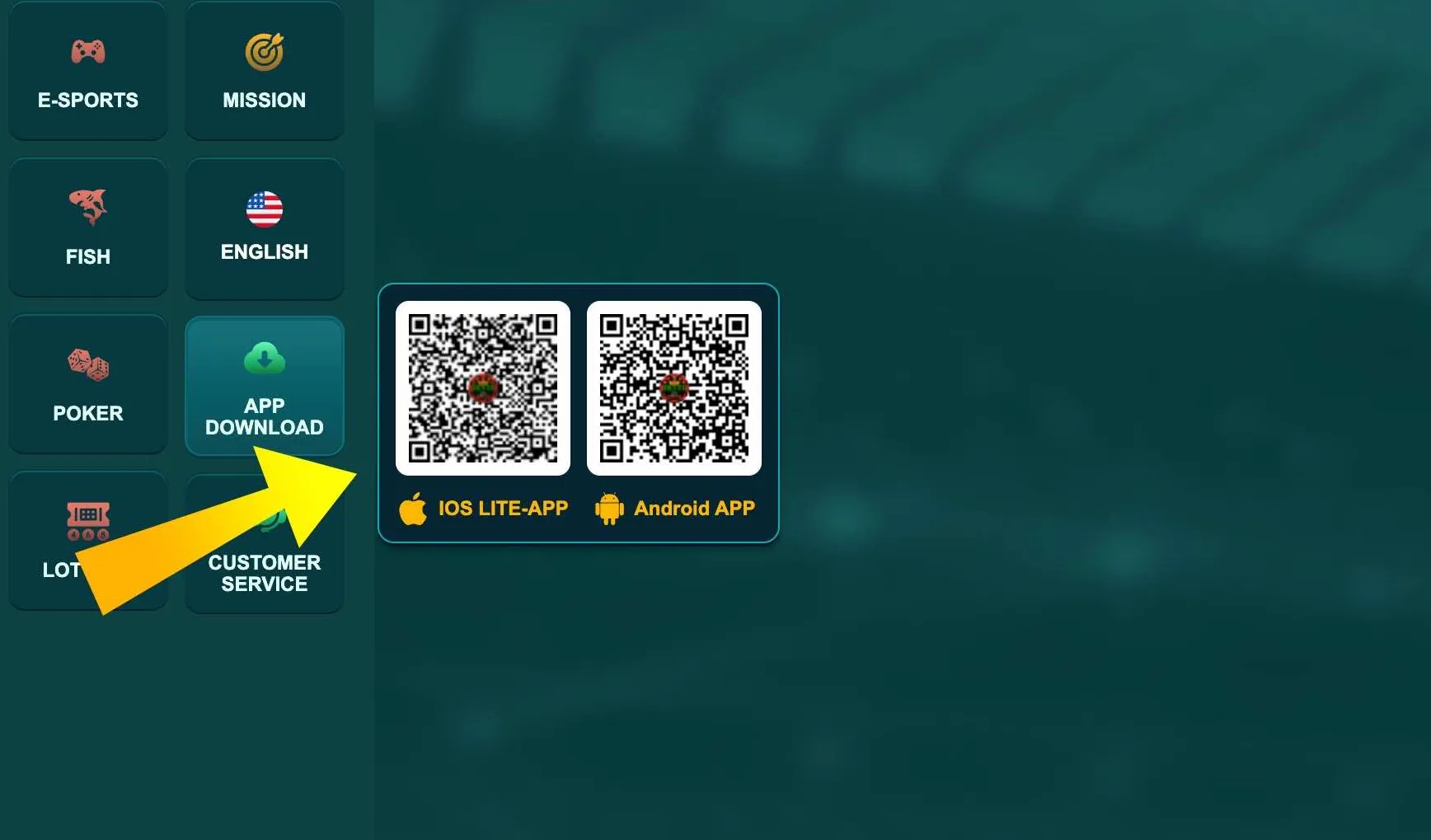
In the App Download section Casino EK333 shows QR codes and direct links for Android and iOS. Open it from the side menu before you install the client on your phone.

Why the EK333 app is worth installing

On the EK333 app you play with the same account and balance as on the website, but the daily experience is different.

Main advantages of the EK333 app:

  • Stable work even on 4G with average signal
  • Automatic reconnection to working mirrors without VPN
  • Push notifications about bonuses, tournaments and withdrawals
  • Local Bengali and English interface with clear navigation
  • Full access to bKash, Nagad and Rocket deposits in BDT
  • Extra rewards for mobile users like small starter credit and promo missions

The app solves a key problem for Bangladesh players - access. Even if the website opens slowly via mobile network, the app connects quicker, keeps odds updated and opens slots without heavy graphics in the browser.

You can also start from the EK333 app and later explore more games on the main Casino EK333 site.

Ready to try the EK333 app in real conditions - from live cricket bets to Aviator rounds - all with BDT balance and local payments.

Key features of the EK333 app

The EK333 app keeps all functions that players use daily on desktop and adapts them for touch screens.

Interface and navigation

The home screen groups casino, sport, live tables, fish games and lotteries as large tiles. At the bottom you see a static menu with Home, Promotions, Wallet and Profile so core functions are always one tap away.

Search and filters help you find favourite titles like Super Ace, Aviator, Boxing King or Golden Empire without scrolling through thousands of games. Categories like Top, New and Recommended rely on popularity among Bangladesh users.

Mobile bonuses and missions

Inside the app you can open Reward Center where Casino EK333 shows:

  • Daily sign in missions
  • Cashback and rescue fund for unlucky sessions
  • Vouchers for deposit boosts or free spins
  • Time limited tasks for certain games

Many missions are easier to complete from the app because you receive push reminders about deadlines and required turnover.

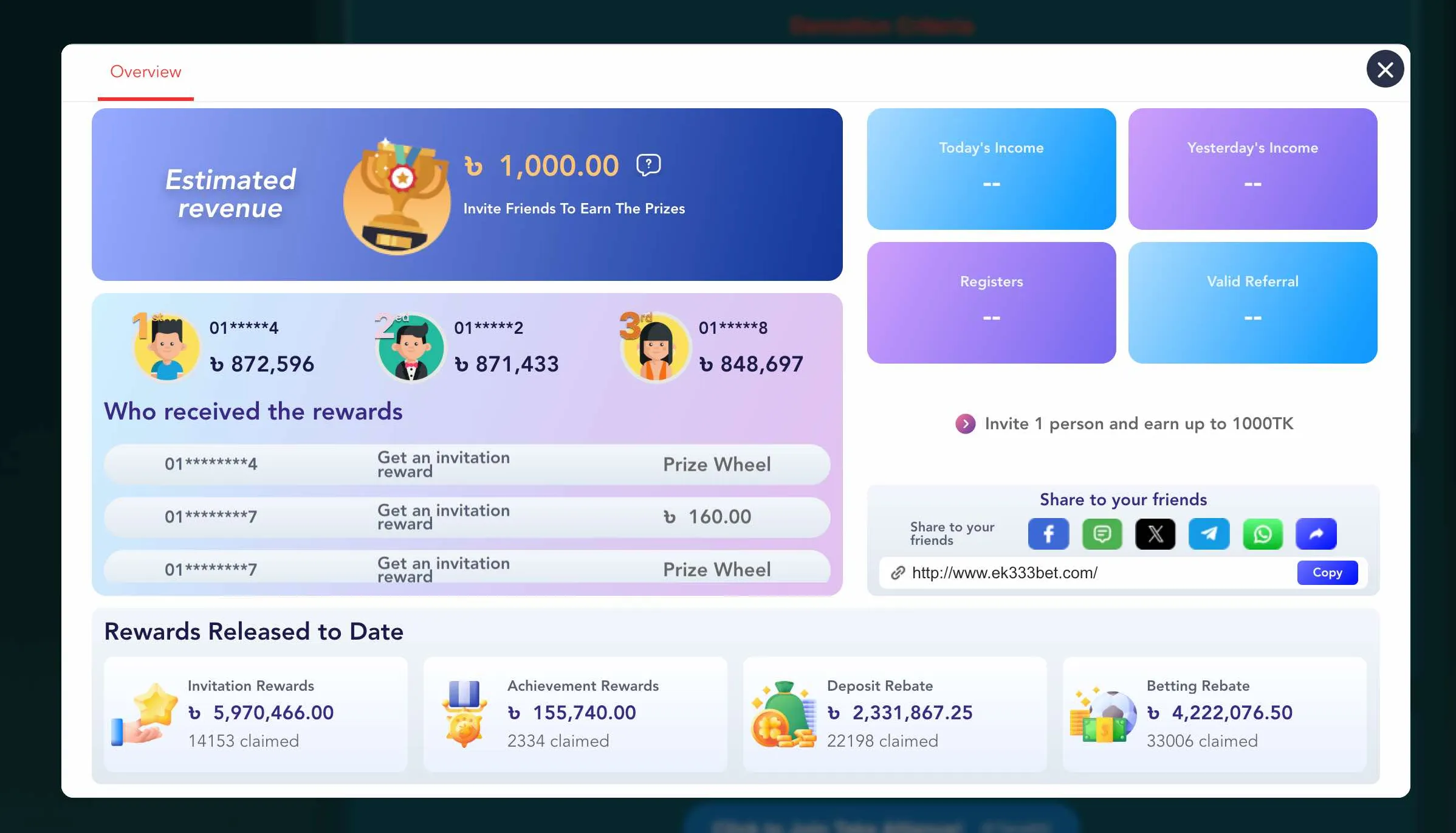
Reward Center in EK333 app

Reward Center in the EK333 app shows your current balance, daily tasks and vouchers that can be activated directly from a smartphone.

Collect rewards in EK333 app

How to download the EK333 app safely

Casino EK333 does not put its client in Google Play or App Store because of store rules for gambling apps. You always download the app from the official EK333 website.

Short algorithm:

  1. Open the official EK333 domain in your browser.
  2. Tap App Download in the side or top menu.
  3. Choose Android or iOS option.
  4. Scan the QR code or tap the direct link.
  5. Confirm download if the browser shows a security question.

Only use domains that support secure https connection and show the familiar EK333 design. If a site offers an EK333 APK but looks different, close it and contact support before installing any file.

Android install steps for EK333 app

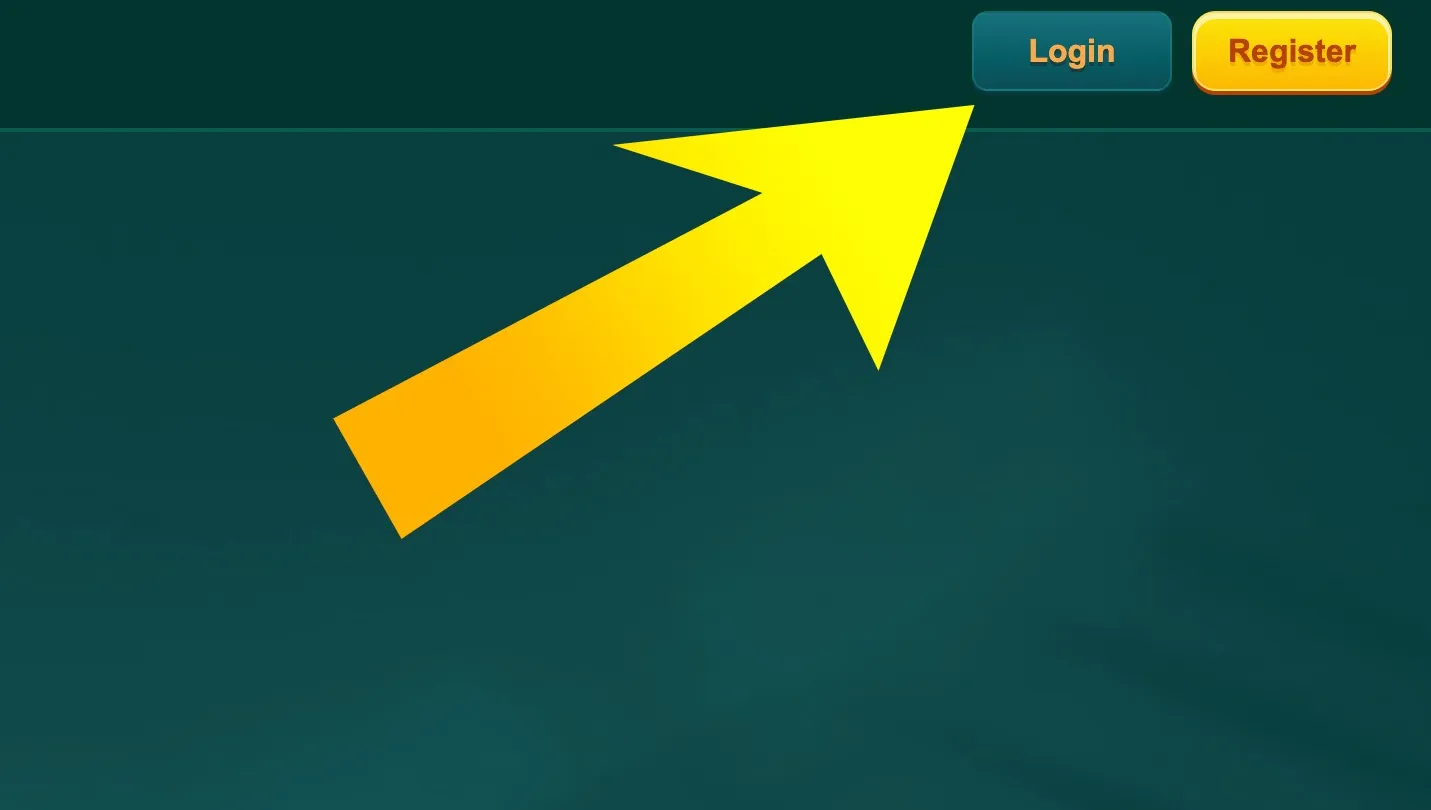
  1. Open login section before install

    First log in to your Casino EK333 account in the browser by tapping Login in the top right corner. This helps the site offer you the correct Android build for your region.

  2. Android and iOS QR codes

    Then open the App Download page, scan the Android QR code or tap the Android link, allow APK installation from the browser and confirm the install on your phone.

Android users from Bangladesh can install the EK333 APK in a couple of minutes and start playing with BDT right after login.

Detailed guide for Android users

On Android, Casino EK333 distributes the app as an APK file.

Basic requirements:

  • Android 7.0 or higher
  • At least 2 GB RAM
  • About 200 MB free storage for app and cache
  • Stable 4G or Wi Fi connection

Step by step:

  1. In Chrome or another browser download the APK from the official EK333 App Download page.
  2. When the system asks for permission to install from this source, confirm once.
  3. Open the downloaded file from the notification bar or Downloads folder.
  4. Tap Install and wait until Android finishes the process.
  5. After install you can move the icon to your home screen.

Typical issues:

  • If installation fails immediately, check if your storage is full.
  • If the system blocks the file as unknown source, open Settings - Security and allow installs from this browser only.
  • If the app closes right after launch, restart the phone and try again, then contact support with device model if the issue stays.
Launch EK333 app after install

How EK333 works on iOS devices

For iOS Casino EK333 usually offers two options depending on the current version:

Lite iOS app through profile

In some periods you can install a light iOS client:

  1. Open EK333 App Download page from Safari.
  2. Tap the iOS Lite App button.
  3. Allow installation of configuration profile.
  4. Open iOS Settings - Profile Downloaded.
  5. Confirm trust for the EK333 provider.

After that the icon appears on the home screen. The app connects to the same servers as the website and keeps all game sections.

PWA shortcut from Safari

If profile mode is temporarily disabled, EK333 suggests a Progressive Web App:

  1. Open EK333 main page in Safari.
  2. Tap the share button at the bottom.
  3. Choose Add to Home Screen and confirm.

The shortcut behaves like an app window but updates automatically with the site. For banking and betting use this shortcut instead of the plain browser tab for more stable sessions.

iPhone and iPad owners can also use the EK333 app experience by installing the current iOS option offered on the official download page.

Registration and login inside the EK333 app

If you already have a Casino EK333 account, you only need to log in. New players can complete registration without leaving the app.

Creating a new account

The registration form is short and focused on phone users. You enter:

  • Mobile number that works in Bangladesh
  • Password and confirmation
  • Optional referral code from a friend
  • Checkbox that confirms age above 18

The app checks if the phone has 11 digits and blocks special characters in the password. If something is wrong, fields turn red with a clear hint so you fix them before moving on.

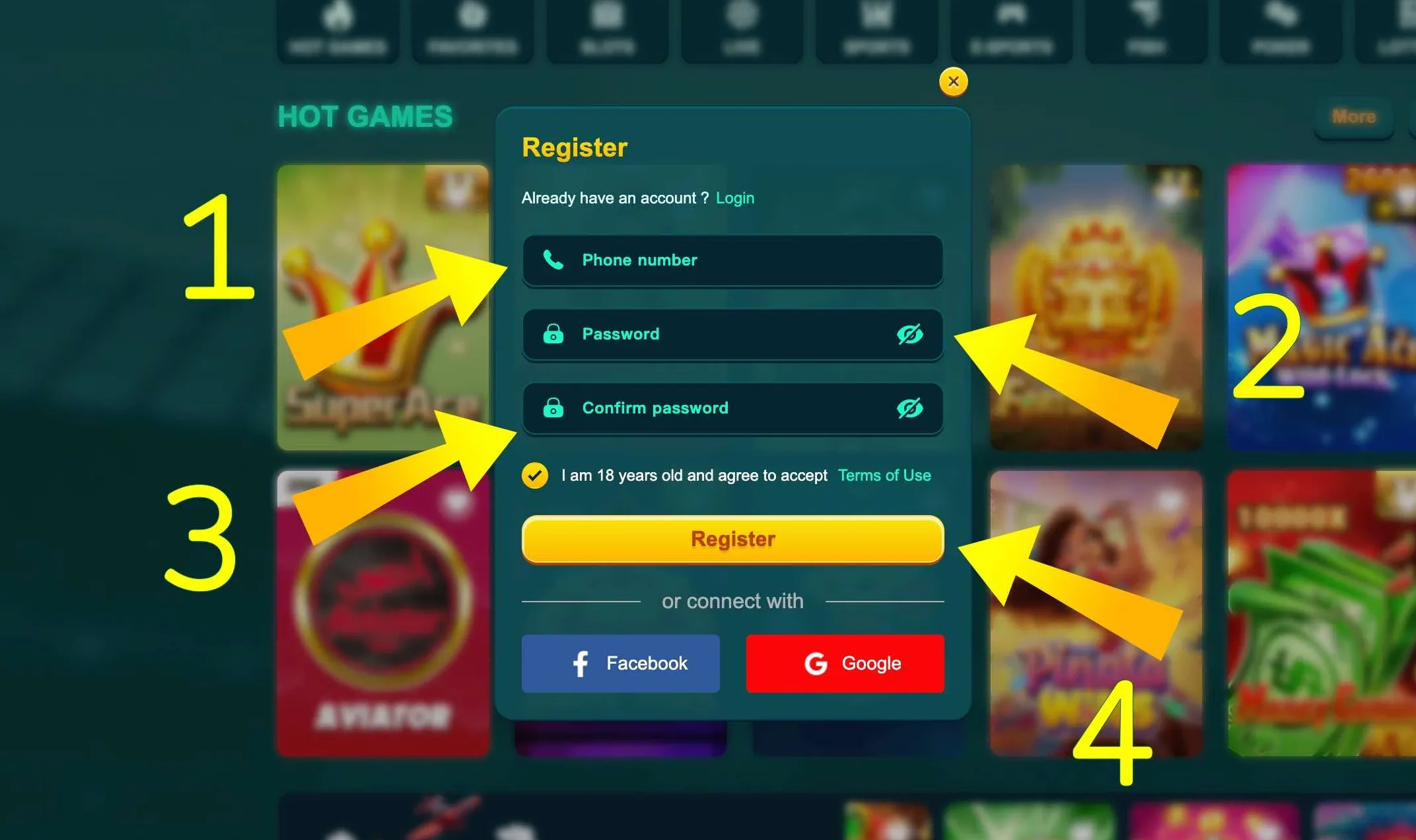
Registration form in EK333 mobile app

Simple EK333 registration form in the app uses phone number, password fields and an 18 plus confirmation checkbox so new players can sign up within seconds.

Register through EK333 app

Logging in and managing your profile

Login is done with the same phone and password that you use on the website. You can tick the Remember option so the app keeps you signed in.

Inside the Personal Center you see sections for:

  • My Account with personal details
  • Betting Record for casino and sports history
  • Account Record for deposits and withdrawals
  • Internal messages from support and system
  • Deposit and Withdrawal shortcuts
  • Manual rebate and reward sections

From here you can change password, bind or edit e wallets and activate extra security like transaction password for cashouts.

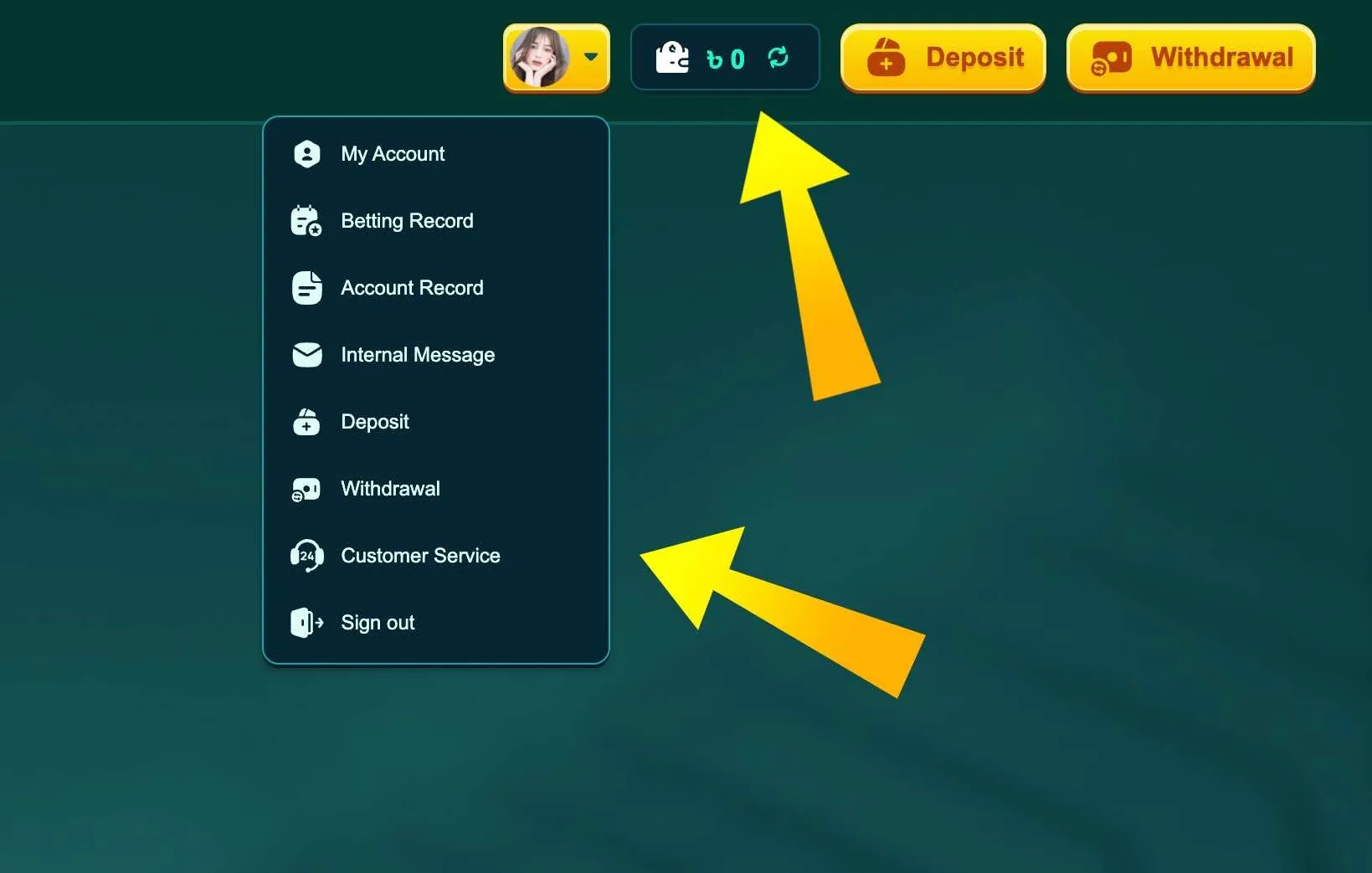
Personal account menu in EK333 app

Profile menu in the EK333 app groups account info, betting records, wallet actions and support, so you manage all activity from one screen.

Once you log in to the EK333 app, all your bets, payments and bonuses stay synced with the desktop version through one BDT balance.

Payments in BDT through the EK333 app

The EK333 app supports the same local methods as the browser but places them in a mobile friendly cashier.

Below is a compact table with key limits in BDT for Bangladesh players:

Method and icon Deposit limits Withdrawal limits
bKash From 100 BDT per top up, usually credited in 5-15 minutes From 100 BDT per request, up to 25000 per transaction
Nagad From 100 BDT with instant confirmation in most cases Same limits as bKash, processed within 30 minutes to 24 hours
Rocket From 100 BDT, processing similar to other mobile banks Withdrawals usually available with limits close to bKash and Nagad
Bank transfer From 100 BDT, suited for larger single deposits Outgoing transfers used rarely, app suggests e wallets instead
Visa or MasterCard From around 500 BDT in converted currency Payouts usually redirected to wallets instead of cards
PayPal From about 1000 BDT in equivalent through linked cards Available on request through support in some cases

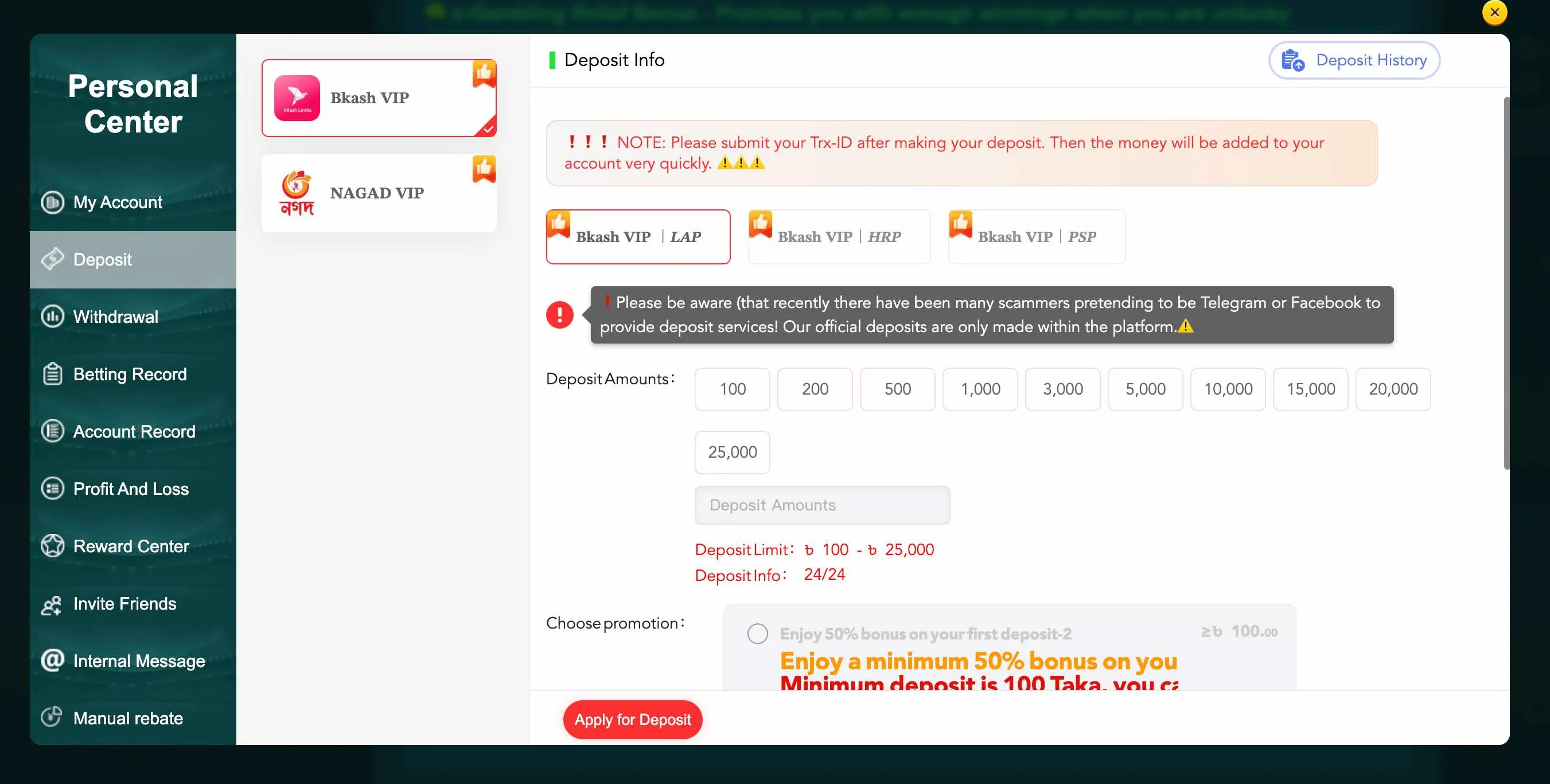
Inside the app the Deposit screen shows current limits and a large warning bar about typical fraud schemes. Always follow these hints and never send money to numbers that are not shown inside the official cashier.

bKash deposit warning in EK333 app

On bKash deposits the EK333 app shows minimum and maximum amounts, active channels and an anti fraud warning so you only pay to verified accounts.

Top up via bKash or Nagad in app
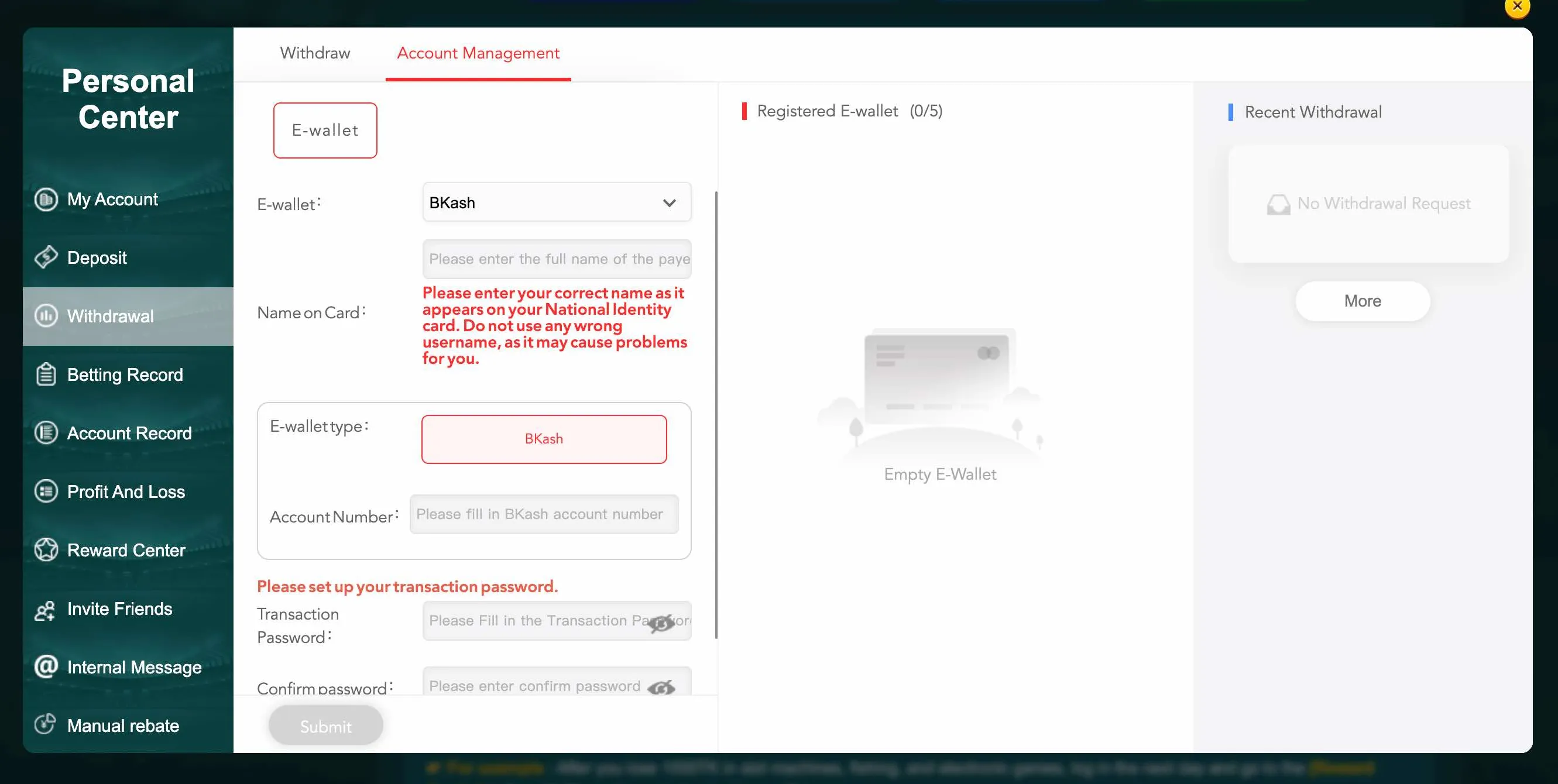
Add new e wallet in EK333

Before the first withdrawal you bind your e wallet in Account Management by entering ID card name, wallet type, account number and a separate transaction password.

For withdrawals the EK333 app asks you to confirm a transaction password. This extra step prevents strangers from cashing out your balance even if they learn your login details.

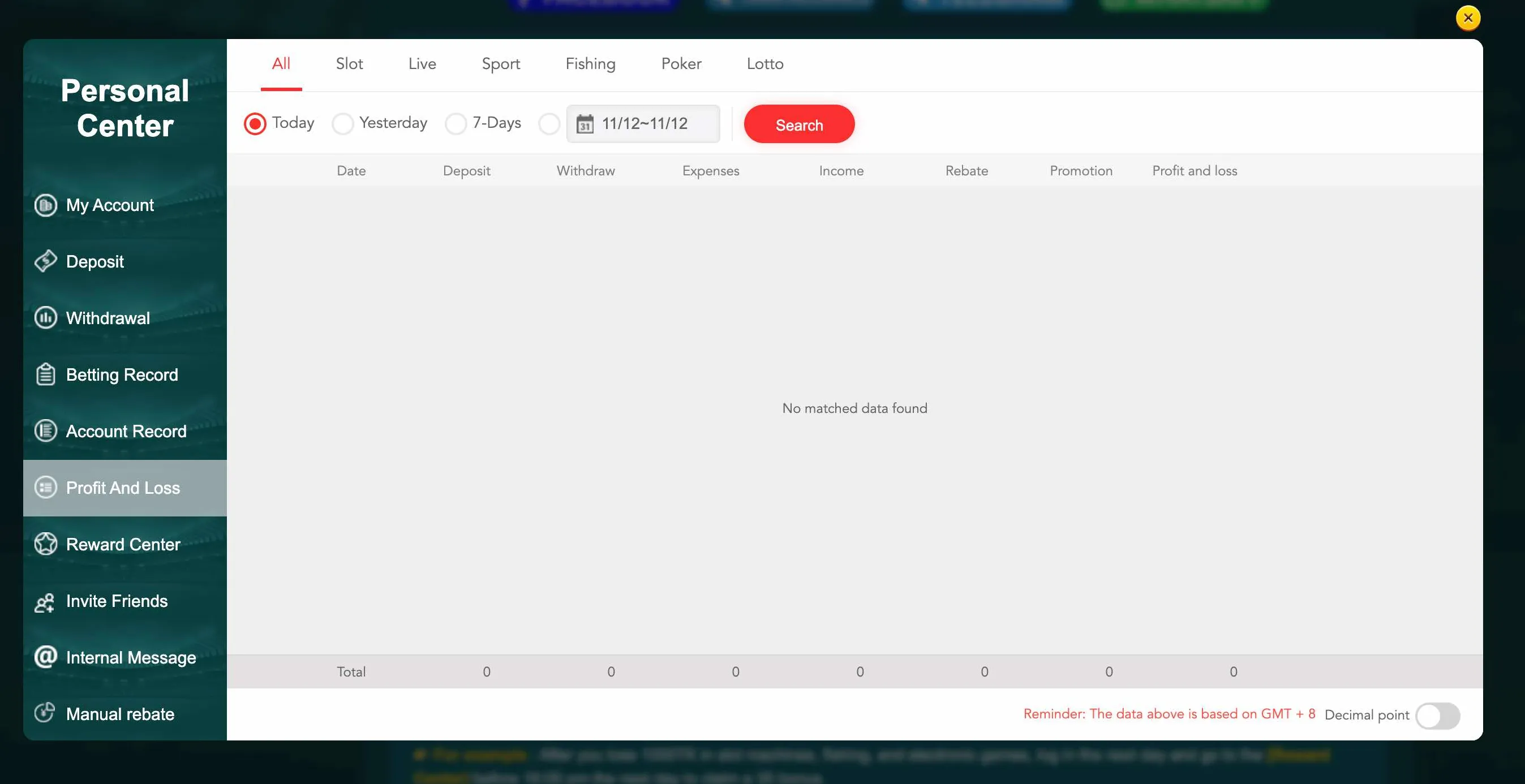
You can monitor all deposits, withdrawals, expenses and income through Profit and Loss reports in the app. Filters by date and category help you keep control over your bankroll and understand how much you spend on slots, live tables or sports.

Profit and loss report in EK333 app

The Profit and Loss report page summarises deposits, withdrawals, expenses, income, rebates and overall result so you see your full EK333 history.

Using detailed financial reports in the EK333 app makes it easier to control your budget and keep gambling in a healthy zone.

Games and betting inside the EK333 app

The mobile app gives you access to the same content library mentioned in Casino EK333 reviews: thousands of slots, live tables, crash games, fish shooters, lotteries and sports markets.

Slots like Super Ace, Boxing King, Showdown, Super Elements or Fortune Gems run in optimised mobile mode. Reels spin smoothly even on older devices, and quick spin mode helps save time when you grind missions.

Crash titles such as Aviator or Lucky Jet have special importance on mobile. With the phone in your hand you can cash out at the right second, which is harder on a desktop with slower reaction.

Sports betting section covers cricket, football, kabaddi and many other events. Live markets update odds in real time, and the app handles fast line changes better than a regular browser tab, especially on 4G.

Because the account is unified, you can switch from cricket bets to live roulette or fish games without moving money between wallets.
Explore games in EK333 app
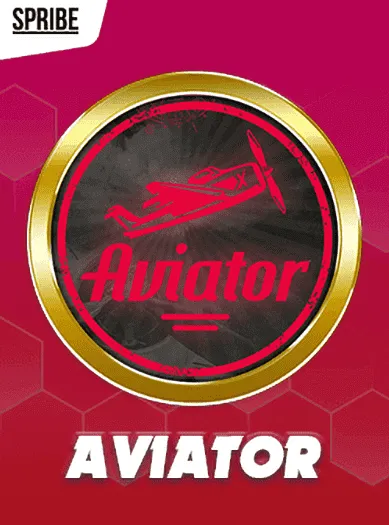
Aviator crash game in EK333 app

Crash game Aviator remains one of the most popular titles on the EK333 app because quick reactions and simple controls fit mobile play perfectly.

Security and responsible play on mobile

Casino EK333 secures the app with the same tools as the desktop site but adds device level options.

Key safety points:

  • Encrypted connection for all traffic using modern TLS
  • Session monitoring with checks of IP and device fingerprint
  • Two factor options such as SMS or email codes for sensitive actions
  • Transaction password for withdrawals and wallet editing
  • Internal messages with logs of major account operations

Inside settings you can set betting limits, deposit caps or even temporary self exclusion. Combined with native screen time tools on Android and iOS this gives you clear control over your gambling routine.

If you lose your phone, contact support from another device. The team can freeze the account, reset sessions and help you change passwords so no one uses your balance.

Install the EK333 app only from the official site and keep 2FA plus transaction password enabled to protect your BDT balance.

EK333 app FAQ

Is the EK333 app free for Bangladesh players

Yes, Casino EK333 does not charge anything for downloading or using the app. You only fund your balance with deposits in BDT through methods like bKash, Nagad or Rocket. The APK or iOS shortcut from the official site is always free.

Where can I safely download the EK333 Android app

Open the official EK333 website in your browser and go to the App Download section. From there you can scan the QR code or tap the Android link. Do not download APK files from unknown portals or third party stores, as they may contain modified clients.

Can I register a new account directly in the app

The EK333 app includes full registration. You enter a Bangladesh phone number, set a password, confirm that you are at least 18 and optionally add a referral code. After that you can deposit, claim bonuses and play without visiting the desktop site.

What should I do if the EK333 app does not install

First check that your Android version is at least 7.0 and that you have enough free storage. Then make sure installation from this source is allowed in system settings. If the problem remains after a restart, contact EK333 support in live chat and mention your device model.

Does the EK333 app support bKash and Nagad withdrawals

Yes, inside the app you can add your bKash or Nagad wallet, set a transaction password and request withdrawals in BDT. Limits are the same as on the website, and most payouts reach Bangladesh players within the usual time window listed in the cashier.

Is there any extra bonus for using the EK333 app

According to partner materials, Casino EK333 sometimes offers small rewards for app users, such as a modest credit after installation or an extra top up bonus for the first deposit made from the mobile client. Check the Reward Center and promotions tab in the app for current offers.

Can I use the EK333 app on several devices

You can log in from different phones or tablets, but avoid simultaneous sessions on many devices. The security system tracks IP and device changes. If it sees suspicious activity, it may temporarily lock the account until your identity is confirmed.

How do I update the EK333 app to the latest version

The app sometimes shows an update prompt on launch. You can also revisit the App Download page on the EK333 site and install the new APK over the current one. For iOS shortcuts the update happens automatically because they open the latest web version.

Is the EK333 app legal to use in Bangladesh

EK333 operates under an international licence from First Cagayan and holds local registration as a digital entertainment platform. While national laws on online gambling are complex, many Bangladesh players choose the app because it is locally focused, transparent and pays winnings reliably.

Can I switch between app and website with the same balance

Yes, your Casino EK333 account is unified. Whether you play on the app or on the desktop, you see the same BDT balance, the same bets and the same VIP progress. You can start a session on mobile and later continue from a computer without moving funds.

If you prefer quick access, smooth navigation and full local payments, the EK333 app is usually the most comfortable way to use Casino EK333 every day.